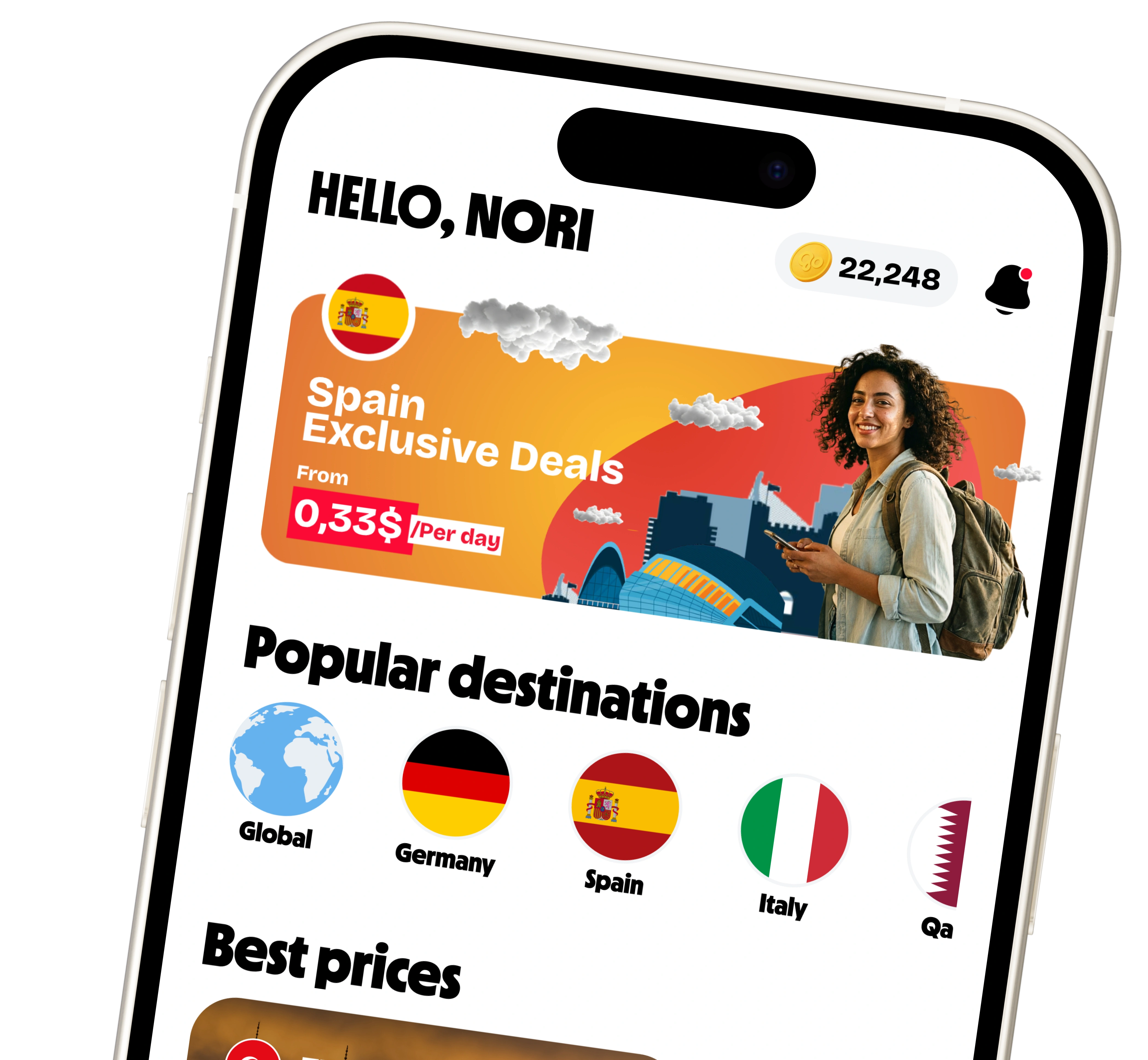


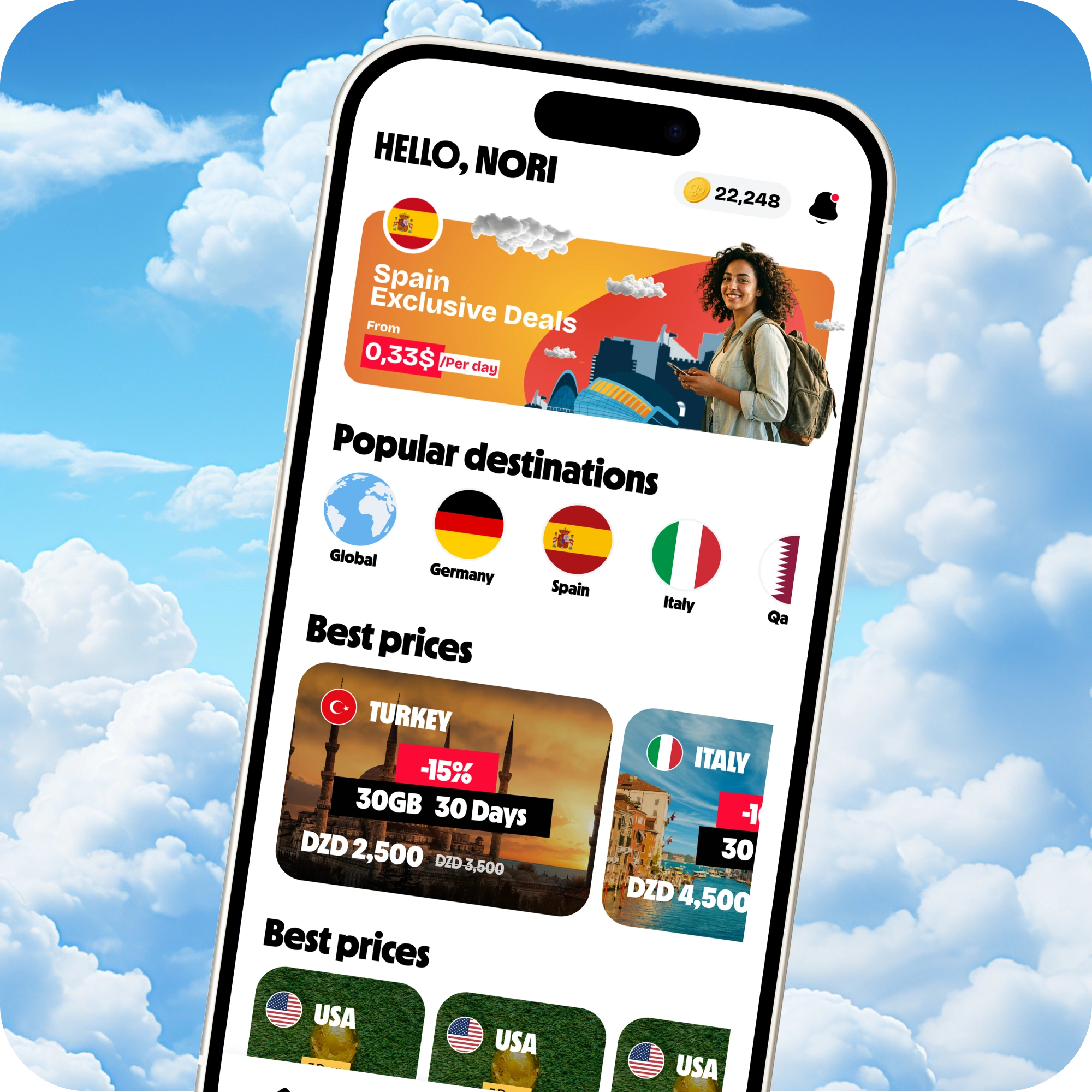
GoSIM offers exclusive benefits to Air Algérie passengers.
 Enjoy 100MB free for 7 days
- Get 10% off every purchase
- Fast internet in 190+ destinations
- Pay in Algerian Dinar


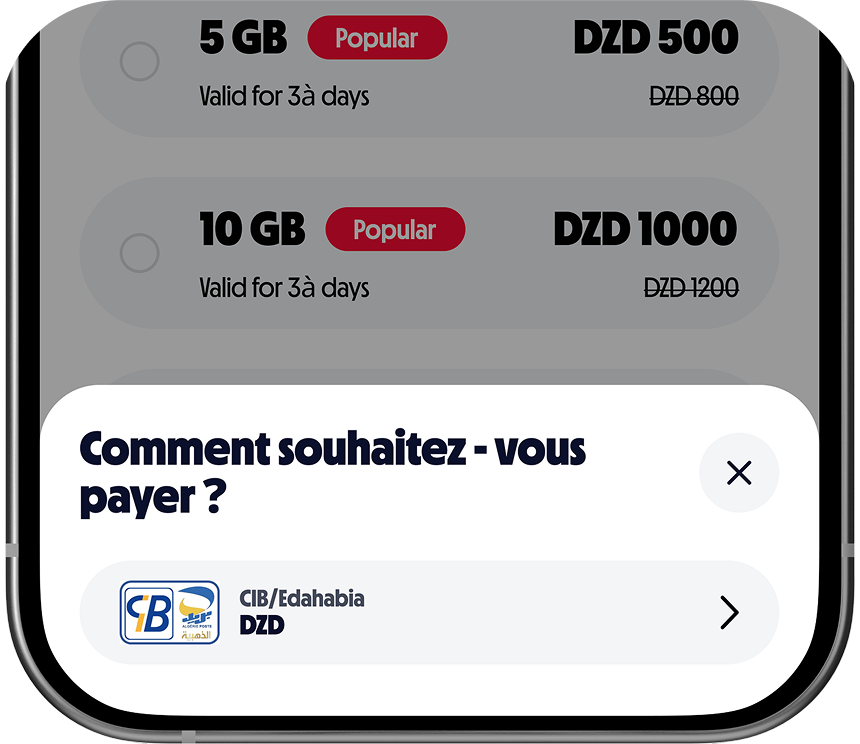
Pay with your native currency - pay with a CIB / Edahabia card
After using your free 100 MB, pay with CIB Card on GoSIM to stay connected while traveling.
Discover all the benefits of GoSIM
Satisfaction guaranteed or your money back
Track your usage in the GoSIM app with no risk of overspending, or get your money back.
Share your data with friends and family
Easily share your data with loved ones, stay connected together, wherever you are.

Dailly discounts and exclusive offers
Unlock special deals and promotions available only to GoSIM users.

Frequently Asked Questions
What is an eSIM?
An eSIM is a digital SIM built into your phone. You can install a plan instantly without swapping a physical SIM card.
How do I use GoSIM with Air Algérie?
From the Air Algérie website, click on the image to access the platform. Purchase your eSIM plan and activate it before your flight. Enjoy 100 MB free and an exclusive 10% discount.
Can I pay in Algerian Dinar (DZD)?
Yes! GoSIM accepts payment in Algerian Dinar (DZD) Via Algerian Interbank Card (CIB) or Algérie Poste's Edahabia card.
How to buy an eSIM?
You can buy your eSIM before departure: 🌐 On the official website: https://airalgerie.gosim.co/en 📱 Via the GoSIM mobile app Steps: Choose the destination country Select the data plan Pay online. Edahabia, CIB, Goubba Pay if paying from Algeria. Visa, MasterCard if paying from abroad
How to activate the eSIM?
Step 1 — Before the trip (recommended) Install the eSIM at home with Wi‑Fi The plan does not start yet 📱 Step 2 — Installation
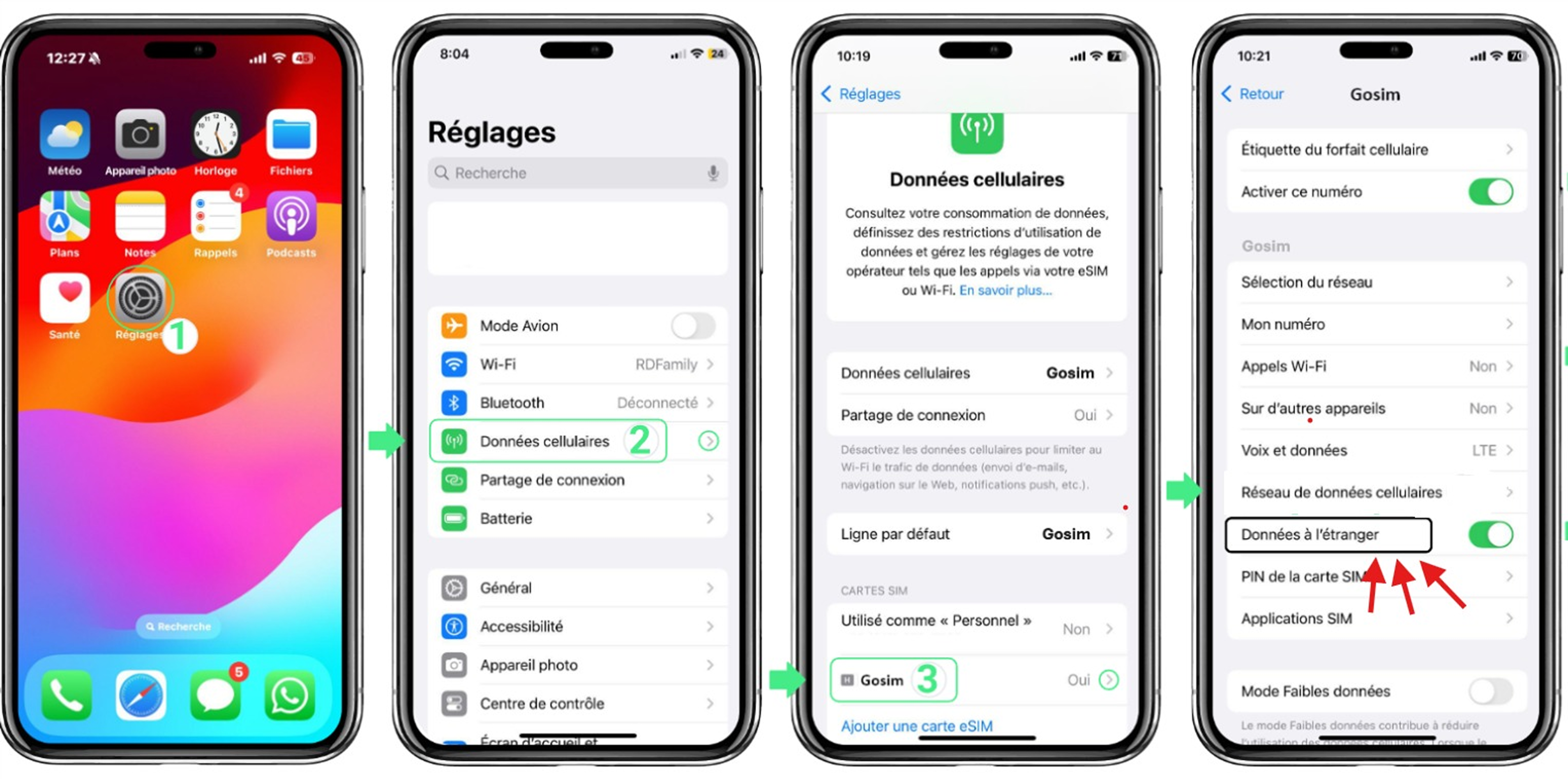
iPhone: Settings → Cellular → Add eSIM → Scan the QR code
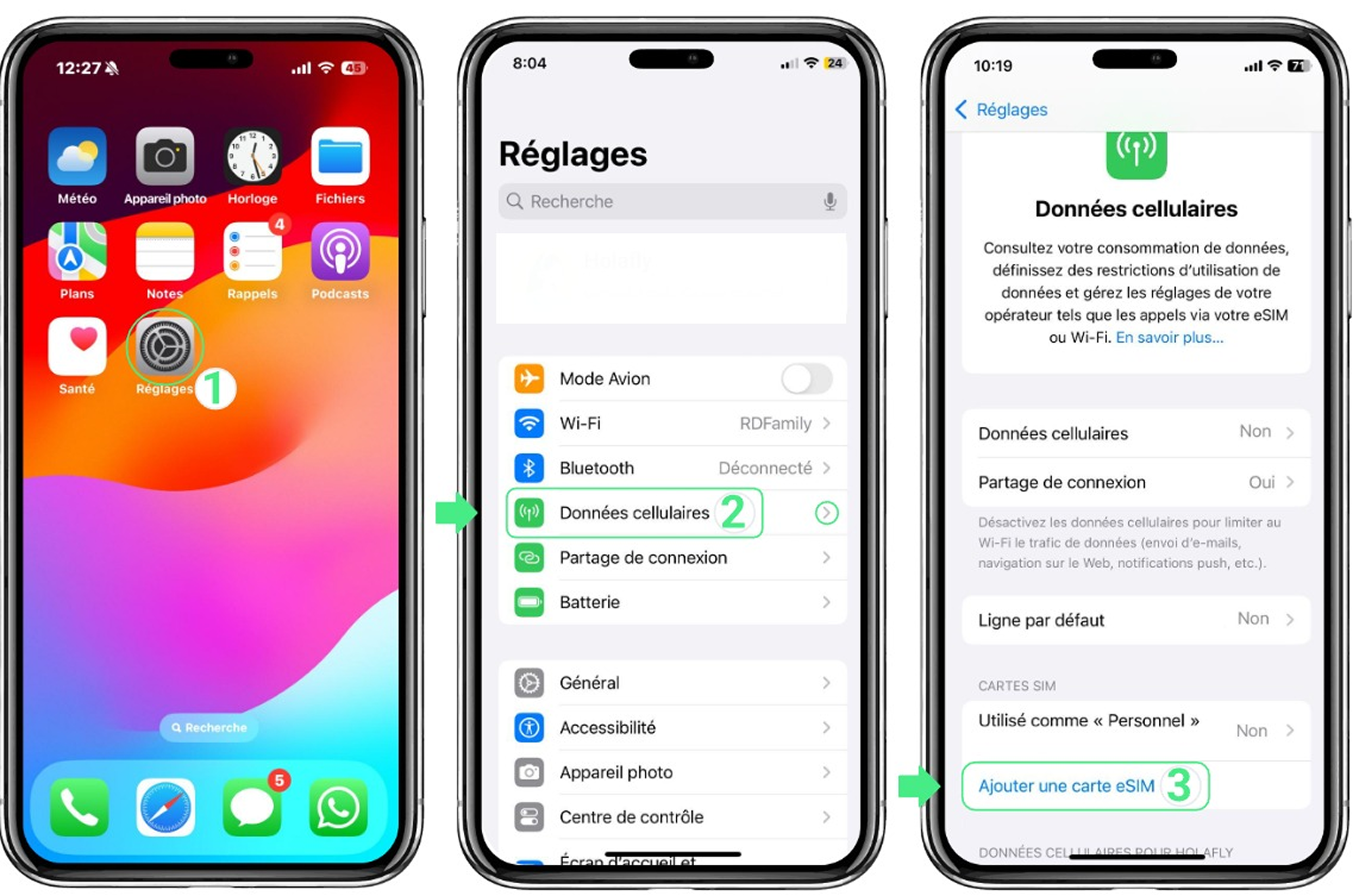
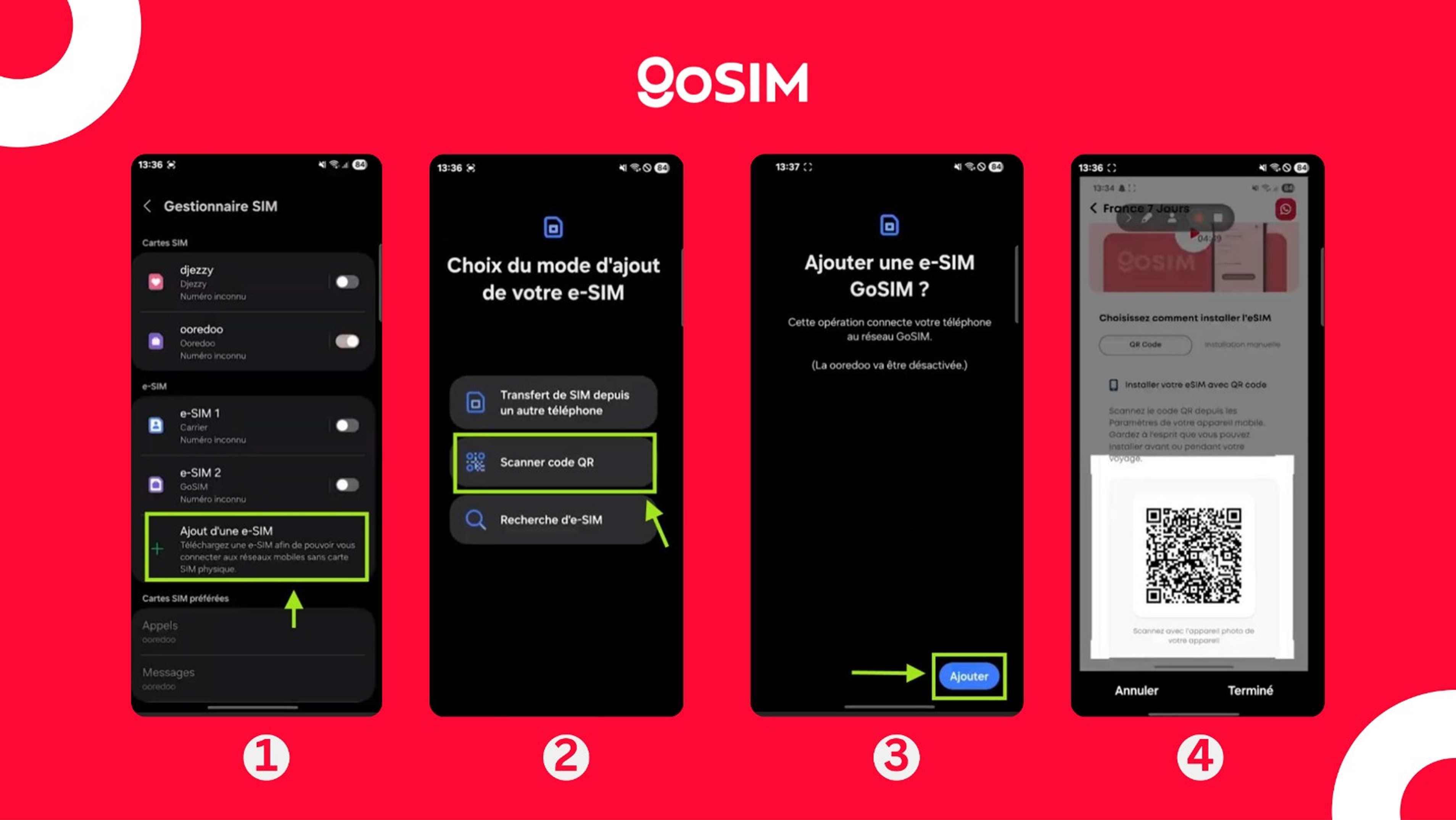
Android: Settings → Mobile network → Add eSIM → Scan the QR code
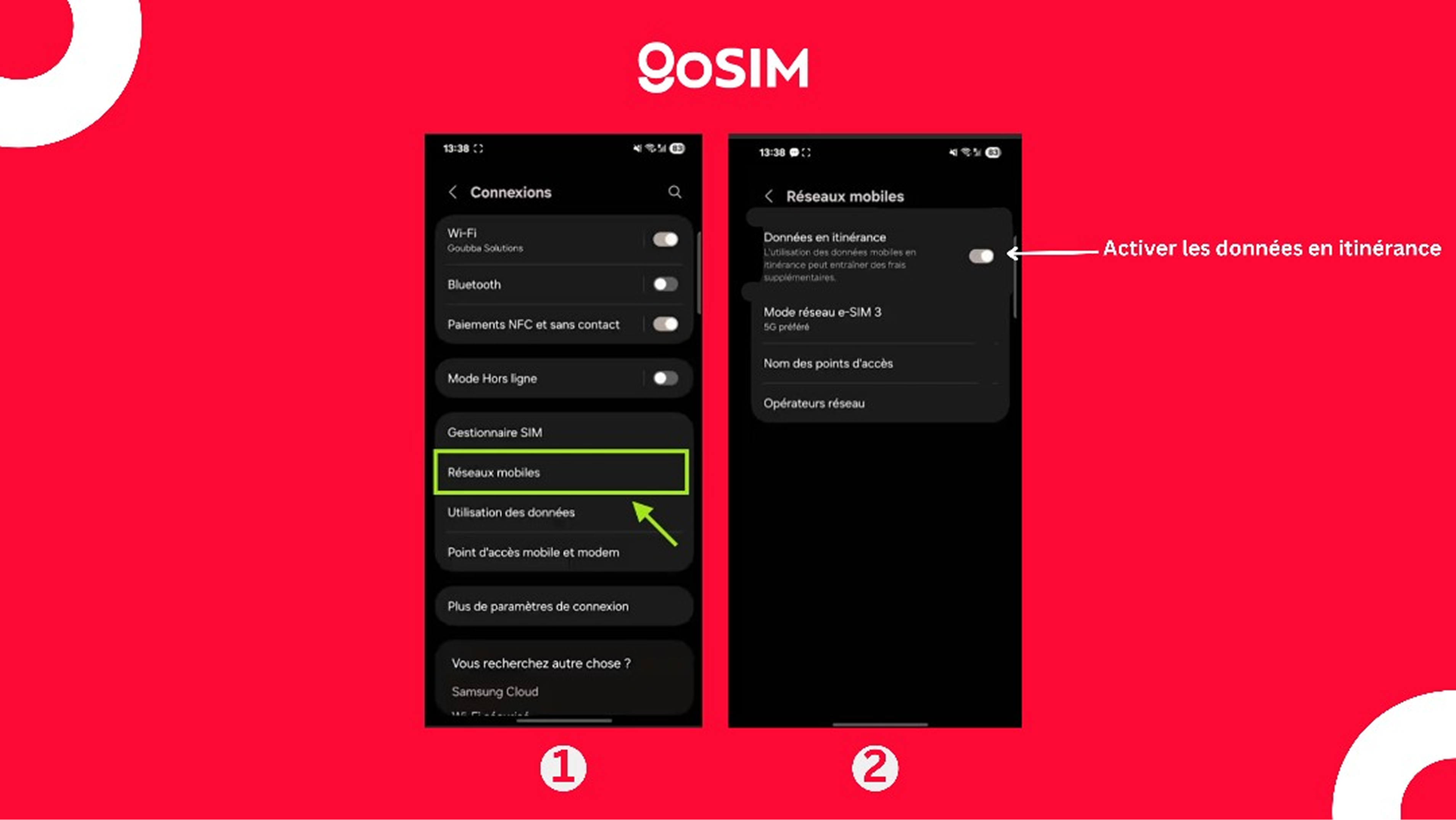
🌍 Step 3 — Upon arrival Enable Mobile data (Android) Select the eSIM as cellular data (iOS) Enable Data roaming 👉 Internet connects automatically.
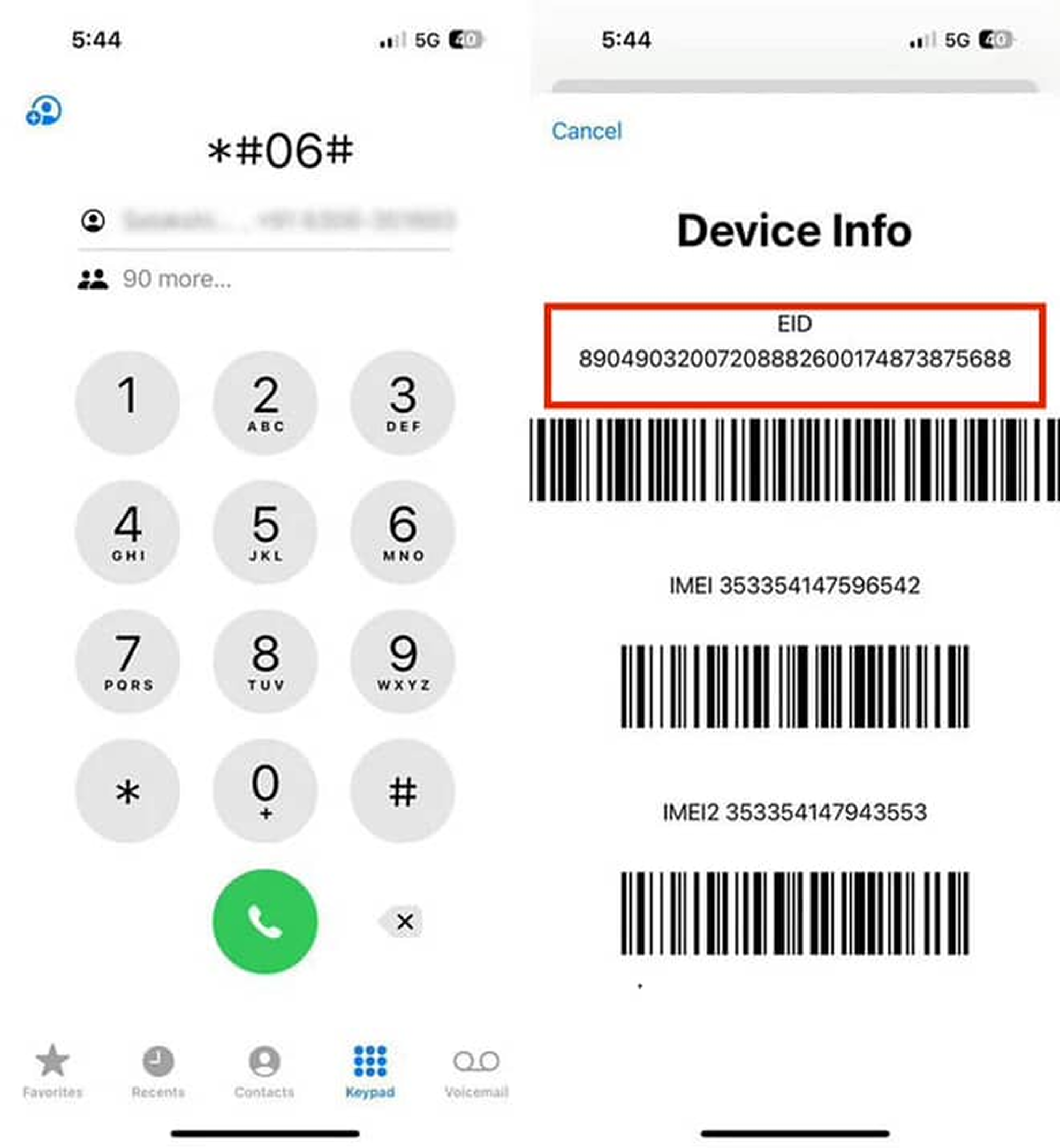
Is my device eSIM compatible?
Most recent iPhones, Samsung, Pixel, and Huawei devices support eSIM. Check Settings > About.
What is an eSIM?
An eSIM is a digital SIM built into your phone. It lets you have internet abroad without a physical SIM card. 👉 No need to visit a store 👉 No need to change your SIM 👉 Quick installation via QR code ⚠️ eSIM works only abroad, not in Algeria
What are the refund conditions?
Refunds are issued as points or promo codes on GoSIM. In extreme cases, a monetary refund can be processed. For more details, contact the Help Center: 0561335719 contact@goubba.com
Enjoy 100 MB free abroad
 Download the GoSIM app
- Sign in with your email
- Follow the quick setup tutorial